
Zebra MC40N0-SCG3RM1 Mobile Barcode Computer
SKU: MC40N0-SCG3RM1
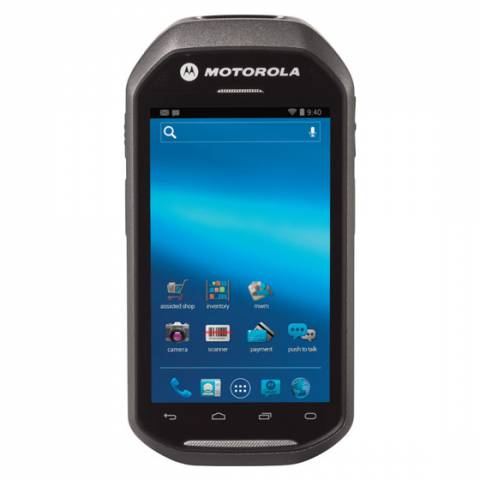
Zebra MC40N0-SCG3RM1 Mobile Barcode Computer
Product Description
The Motorola MC40 Barcode Terminal gives you a stylish, cool consumer driven form factor with a pure industrial design on the inside.Scan barcodes with the integrated robust SE4500-DL scan engine or take detailed images with the 8MP camera. The MC40 is recommended for various mobile tasks including Quality Inspections, Work Order Entry, and Mobile Invoicing.
Complete MC40 Barcode Kits Available Here with TracerPlus Software >>
With the added Magnetic Stripe Reader (MSR), you can take payment transactions right at the point of sale.
What's Included:
- Motorola MC40 Barcode Terminal with Android 2.x OS
- Lithium Ion Battery
Note: Additional products and software may be required.
Zebra MC40N0-SCG3RM1 Barcode Terminal Features
- Android 2.3 Gingerbread OS
- SE4500-DL 1D / 2D barcode imager
- Integrated Magnetic Stripe Reader (MSR) for payment transactions
- Rear-facing 8 MP auto-focus with aiming for barcode scanning and image capture
- PTT (client included)
- VOIP Telephony Ready (Does not include a Voice Client)
- Tri-mode IEEE 802.11a/b/g/n WLAN
- 4.3 in. touch-only display with LED backlight; 480 x 800; 300 NIT
- 800MHz OMAP 4 dual-core processor and 1G Ram / 8GB Flash memory
- USB 2.0 OTG connector
- Rechargeable Lithium Ion 3.7V, 2680 mAh Smart battery
- Multiple 4' / 1.2m drops per MIL-STD 810G; multiple 3' / 0.9m drops to tile
FAQ and Support Resources for the Zebra MC40N0-SCG3RM1
Do I need software for my Motorola MC40 to scan barcodes and save data?
Yes, the Motorola MC40 does not come with software. Our TracerPlus Mobile Software is a great solution for the Motorola MC40 and allows you to create custom barcode enabled forms with no programming. Bundled Kits are also available with Hardware and software.
 Warm and Cold Boot instructions for the Motorola MC40 - KB Article
 Motorola MC40 Integrator Guide